Candidate guide · South Africa · Junior finance & admin
Your work should speak before your CV does.
Talza is where you prove what you can do, stay anonymous while employers browse, and decide for yourself when someone gets your name. This guide walks you through the real product — screen by screen — from the sign-up form to the moment a company asks to meet you.
You decideYour name is released only on your say-so
Hi, I'm Tally
Here's the honest version. You've probably sent your CV to thirty places and heard nothing back. That's not on you — a CV is a claim nobody can check, so employers end up guessing, and guessing means they lean on which school you went to and who you know.
Talza takes the guessing out. You do real work tasks, we verify them, and employers see the evidence before they ever see your name. Stick with me — I'll show you exactly how it works.
Ask Tally
What do you want to know?
Type it in your own words — I'll take you straight to the part of the guide that answers it.
Talza is built for junior finance and admin talent in South Africa — creditors, debtors, bookkeeping, data capture, office admin. Three things set it apart from anywhere else you've applied.
01
You prove it
You complete real work tasks — reconcile a supplier statement, write the query, build the formula. Not personality quizzes. Results become verified Proof Badges on your profile.
02
You stay anonymous
Employers browse a card headed by a code like TAL-4KJ92 — role, region, salary band and proof. No name, no contact, no employer names, no exact suburb.
03
You hold the key
When an employer wants to meet you, it lands in your inbox as a request. Nothing about who you are is released until you tap accept — and you can decline.
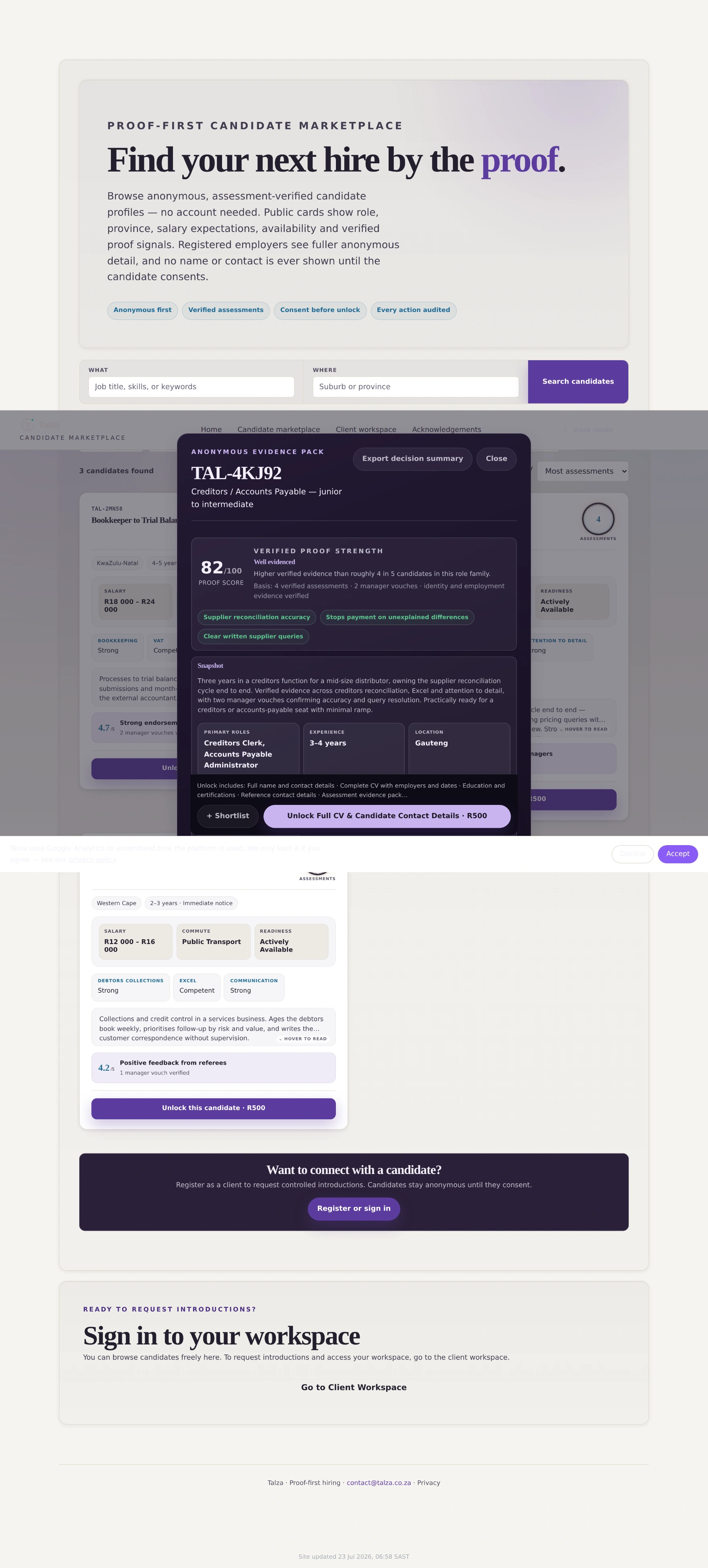
Screen · the Talza home page
talza.co.za
Build the proof → discovered anonymously → unlocked on your consent. That order never changes.
Compared with what you're doing now
Why this is worth your afternoon.
You've got limited time and data. Here's the straight comparison between the four ways a junior finance or admin person usually looks for work.
Job boards
Agency
Applying direct
Talza
What they judge you on
Your CV wording
A phone screen
Your CV wording
Work you actually did
Who sees your details
Anyone who paid for the database
The agency & its clients
The employer
Nobody, until you accept
Know who has you on file?
No
Usually not
No
Yes — activity log
Effort per application
Repeat every time
Repeat per agency
Repeat every time
Build once
Can you withdraw?
Hard
Hard
No
Any time, one click
What it costs you
Free / your data
Free
Free
Free — employers pay
If you undersell on paper
You're invisible
You're invisible
You're invisible
Your results still show
Tally
That last row is the one I care about most. Loads of people are brilliant at reconciliations and terrible at describing themselves. On a job board, that person vanishes. Here, they score 91% on the creditors assessment and an employer sees it in black and white.
And the anonymity isn't a setting we flip — it's built into the server. Your name is never even sent to the browser until you accept.
Build it once. Every approved employer browsing your role family sees your card — you're not re-applying every week.
Your gaps shown honestly
Employers also see what you haven't been tested on, so nobody over-reads one strong result. That protects you from a bad-fit hire too.
Before you type a single thing
Exactly what an employer sees.
You should know what you're signing up to be shown as. There are three layers — and the first two carry no identity at all.
Tally
Layer one is the card in the search results. Layer two is the deeper evidence pack an employer opens when a card interests them — still no clue who you are. Layer three is you, by name, and that only exists after you say yes.
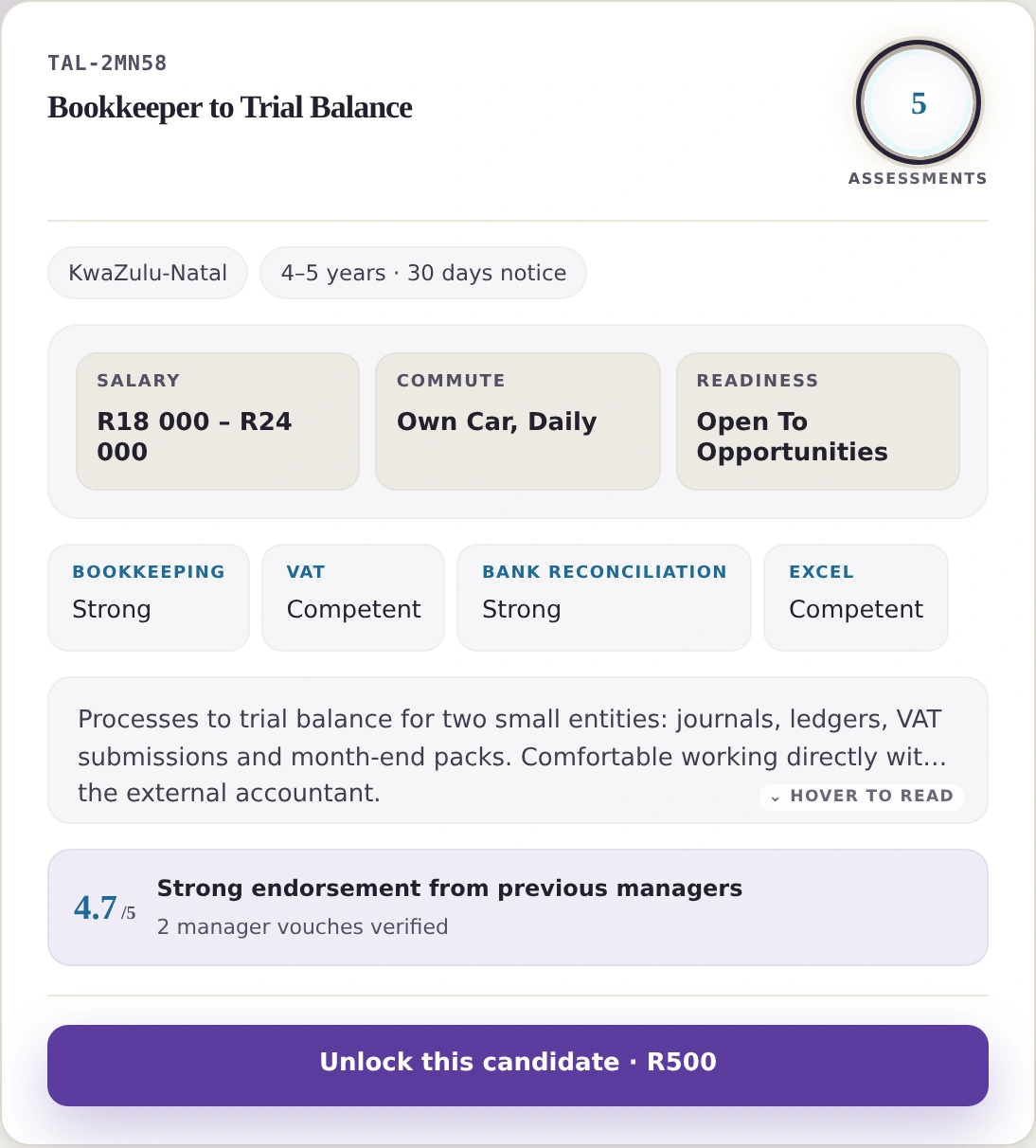
Layer 1 — the card in the marketplace
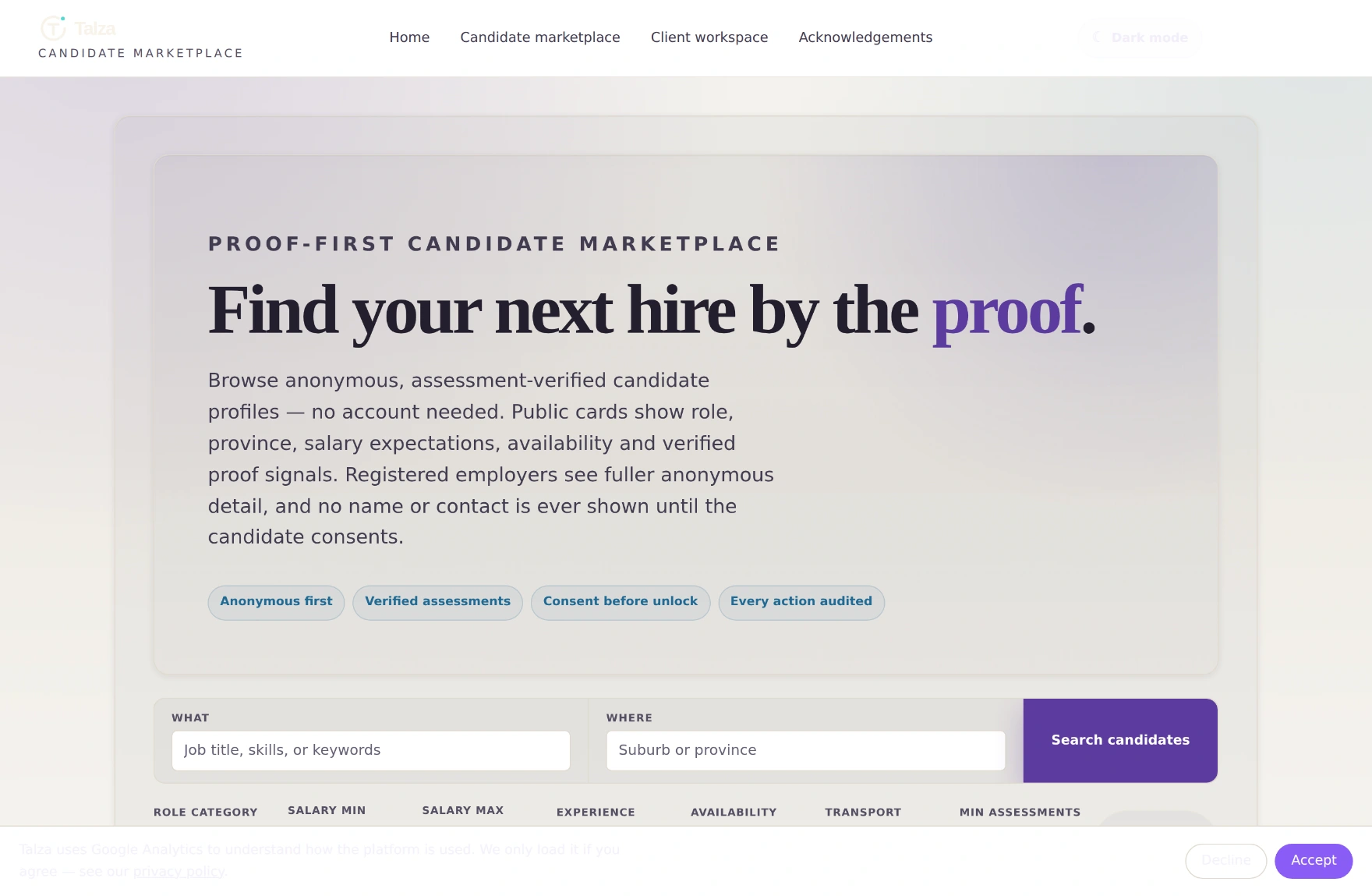
Employers filter by role, province, salary band, experience and how much proof you've built.
Screen · the marketplace
talza.co.za/marketplace/
The employer's view of the pool. Every card is a code, never a name.Your card, close up
Everything here is a band or a proof. Province — not your suburb. A salary range — not a locked number. Competency bands from assessments you actually did. The ring counts your verified assessments.
Layer 2 — the evidence pack
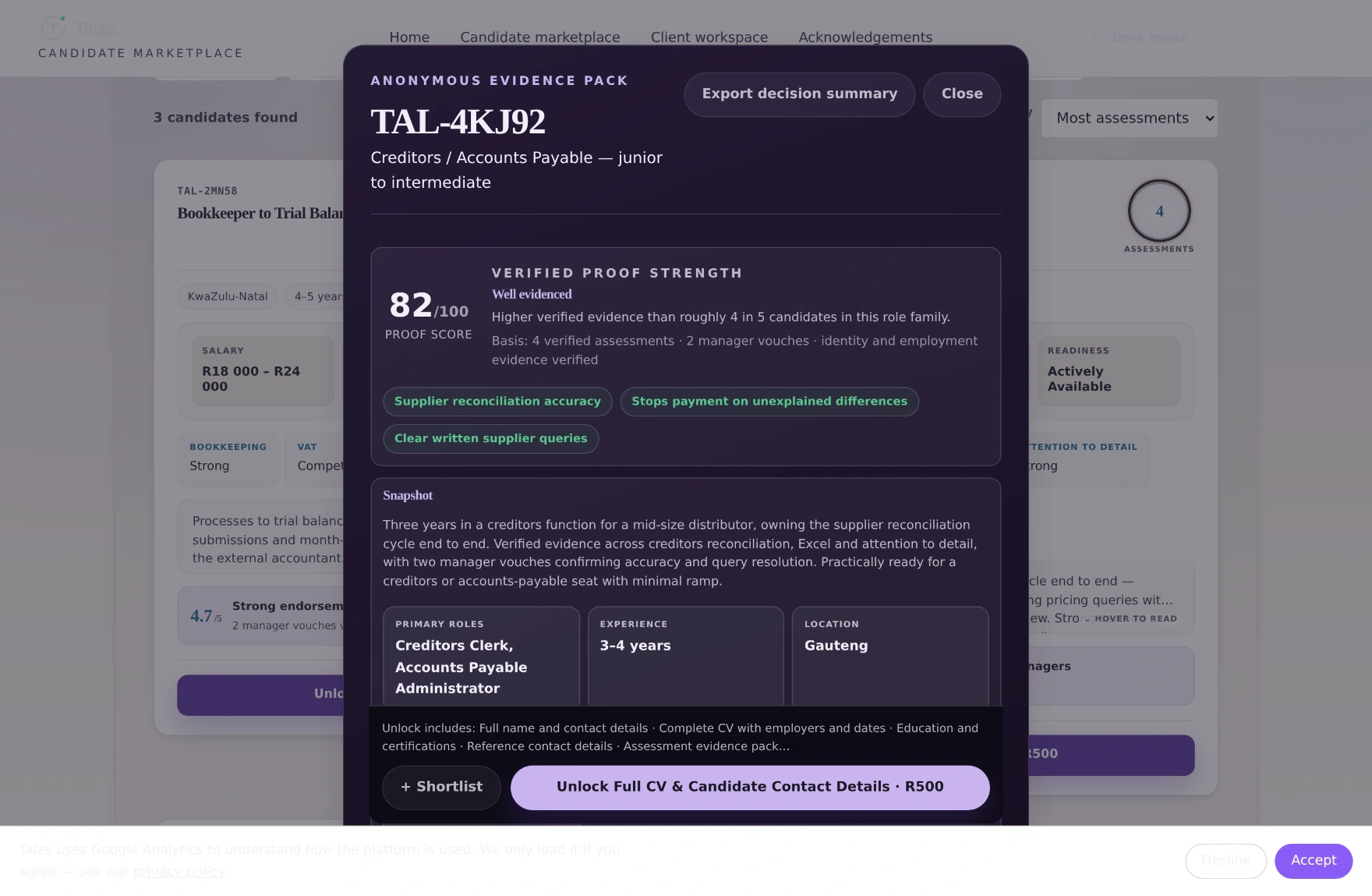
Click a card and the employer gets a full buying brief: work-proof matrix, assessment interpretation, anonymised manager vouches (“Previous Manager A”, never a name), risks, interview questions. Still anonymous.
Screen · the anonymous evidence pack
talza.co.za/marketplace/
The top of the pack. A proof score — how much independently verified evidence backs you, not a “match” score against a job.The whole pack · scroll inside the window
talza.co.za/marketplace/
Scroll inside the window — this is the full brief, top to bottom.Read it properly. This is the document that gets you hired — and none of it names you, your employers, your referees or your exact address.
Layer 3 — you
Name, contact, full CV with employers and dates, education, certifications, references. This layer is locked behind an introduction you accepted. Even then your ID number, payslips and sensitive documents are never released automatically — those need separate consent.
The rule in one line: if an employer knows your name, it's because you tapped Accept. There is no other route.
The full candidate cycle
Sign-up to introduction, one screen at a time.
Six stages. Most people clear stages 0–2 in an evening; the rest happens while you get on with your week.
Tally
You don't have to finish this in one sitting. On the profile form, nothing saves until you press Save profile at the bottom — so save before you close the tab. Assessment answers are the opposite: those save on their own as you go.
Your dashboard always tells you the single next thing to do. Twenty minutes tonight? Do stage zero and one — that's the hard part done.
0
Apply to join
≈ 2 minutesYou'll need your SA ID number
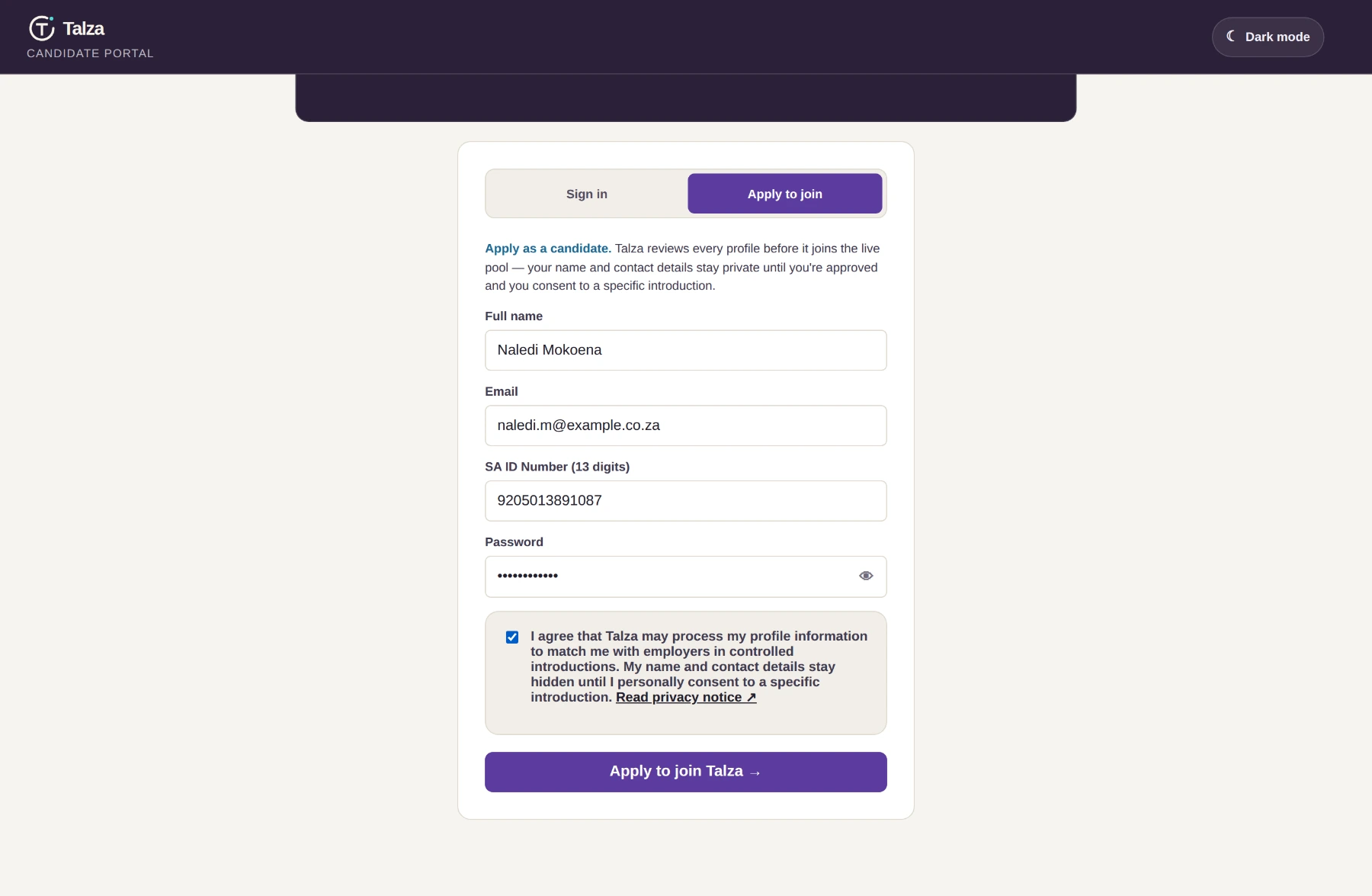
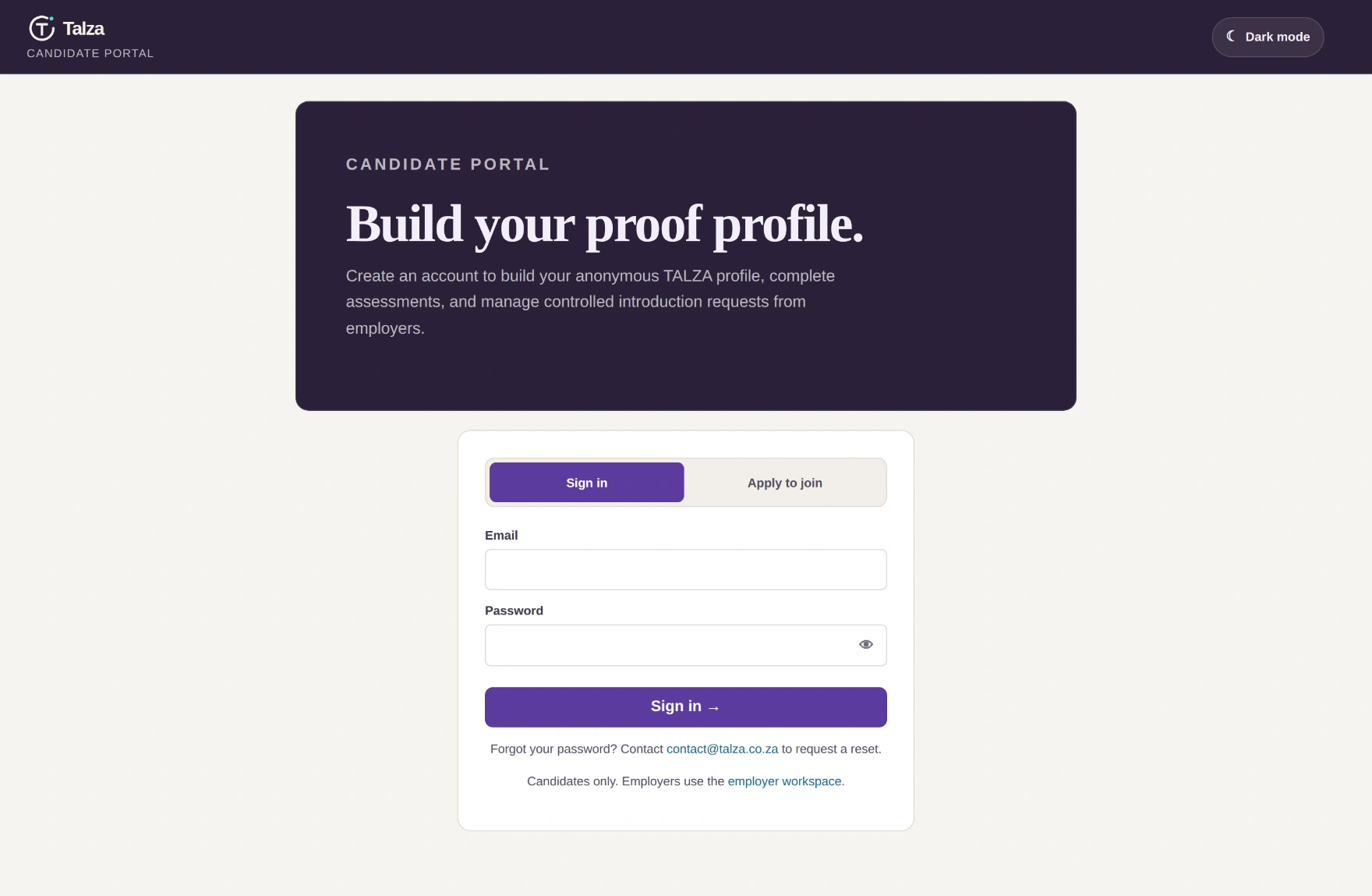
Head to the candidate portal and switch to Apply to join. Four things: your name, an email, your 13-digit SA ID number, and a password.
Screen · apply form
talza.co.za/candidate/
The whole sign-up. That consent tick is not decoration — it's the legal basis for Talza processing your profile, and it says plainly your name and contact stay hidden until you consent to a specific introduction.
Why the ID number? It proves you're one real person — which is what makes the whole marketplace trustworthy. It's encrypted at rest, never appears on any card or evidence pack, and is never released to an employer automatically, even after an unlock.
Submit and you get a confirmation. Your profile is private from this second — nothing is published anywhere until it's reviewed and approved.
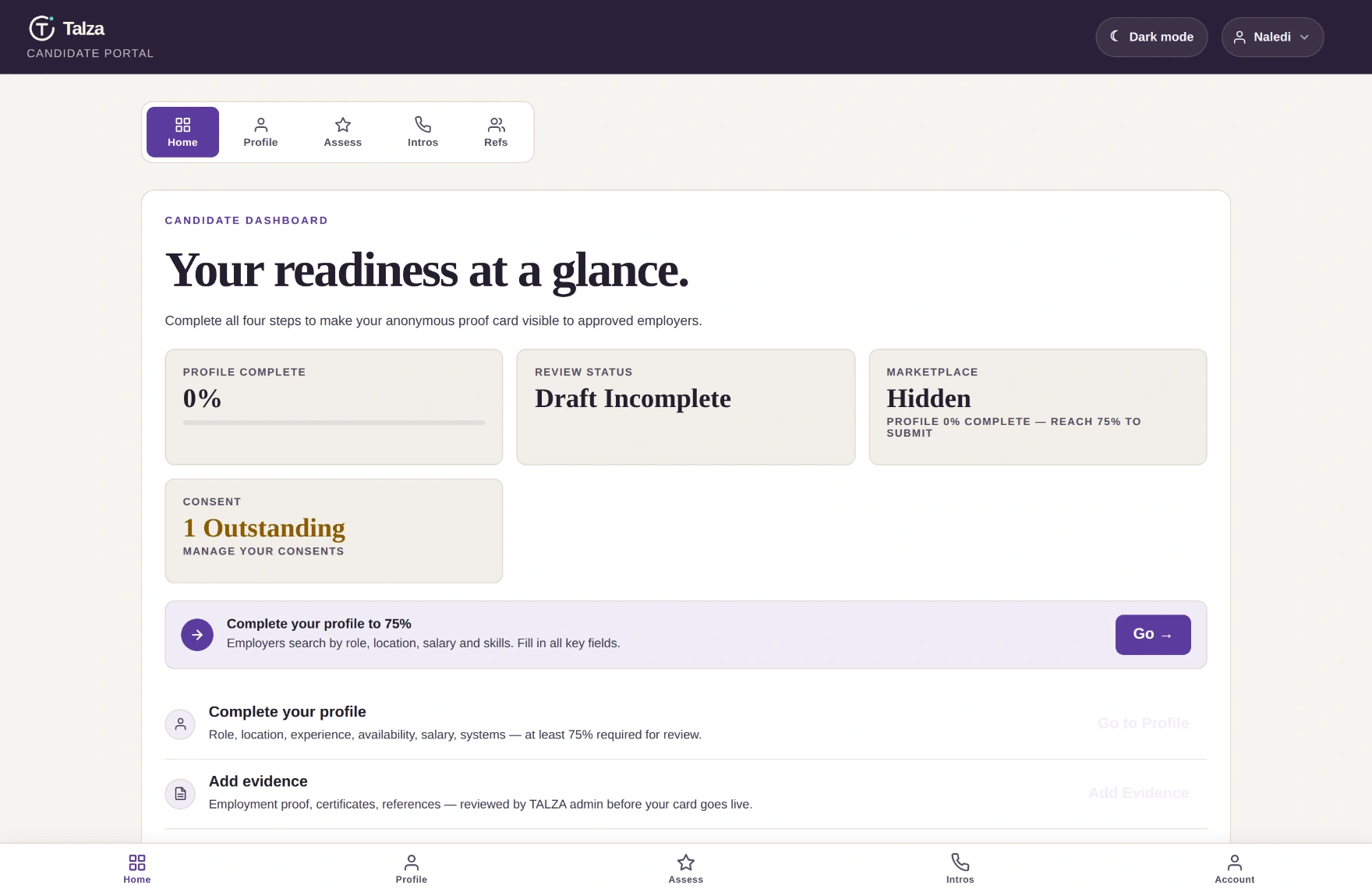
First sign-in lands on your dashboard. It's honest with you: 0% complete, hidden, nothing submitted. The purple banner is the important bit — it always shows the one next thing to do.
Screen · dashboard, day one
talza.co.za/candidate/
Four tiles: how complete you are, where review stands, whether employers can see you, and your consents. The four-step checklist under them is the whole game.
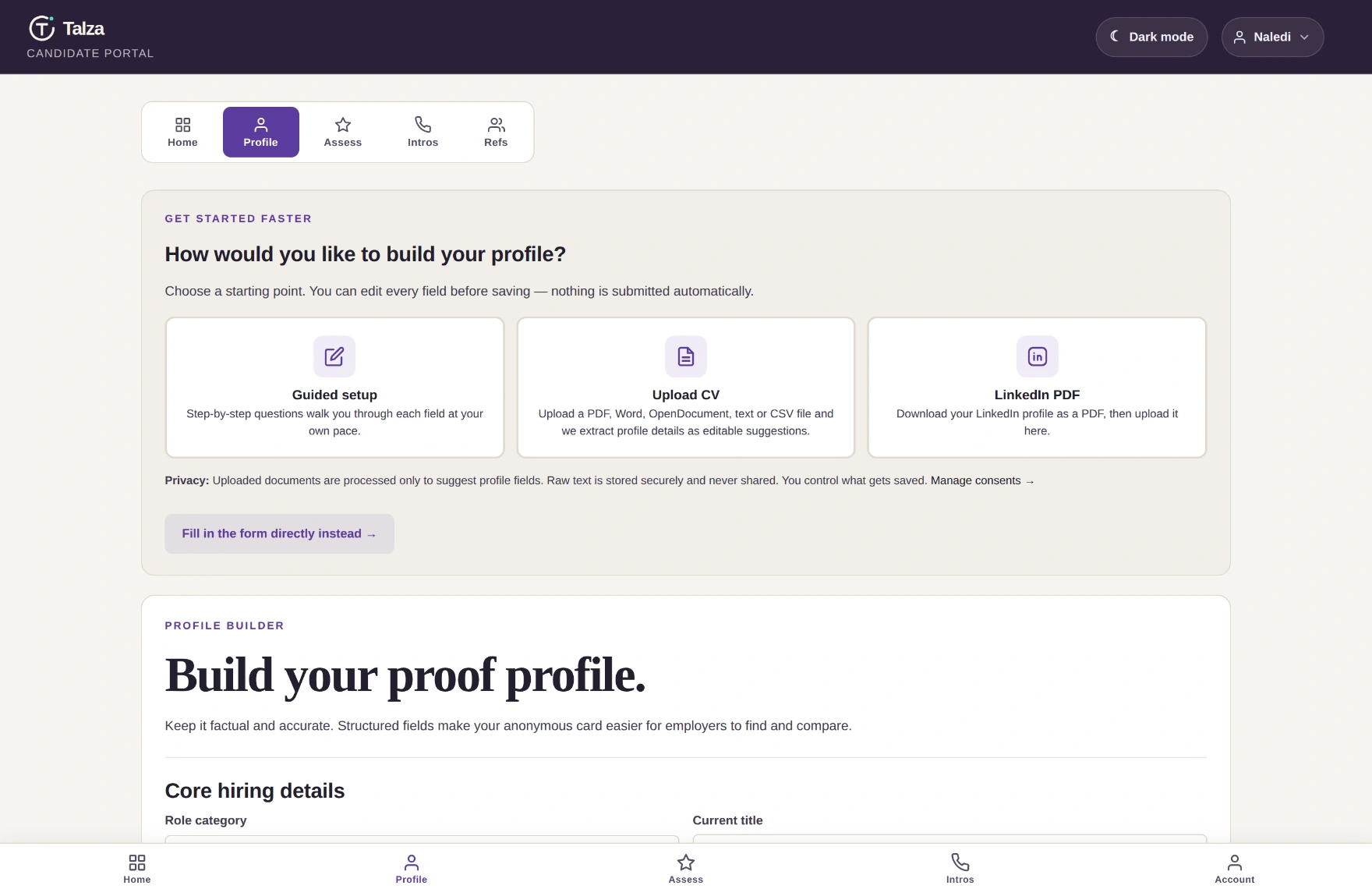
Open Profile and Talza asks how you'd like to build it. You don't have to type everything by hand.
Screen · Profile → build method
talza.co.za/candidate/#profile
Guided, upload a CV, or export your LinkedIn as a PDF and drop it in. Anything imported is yours to correct before it counts.
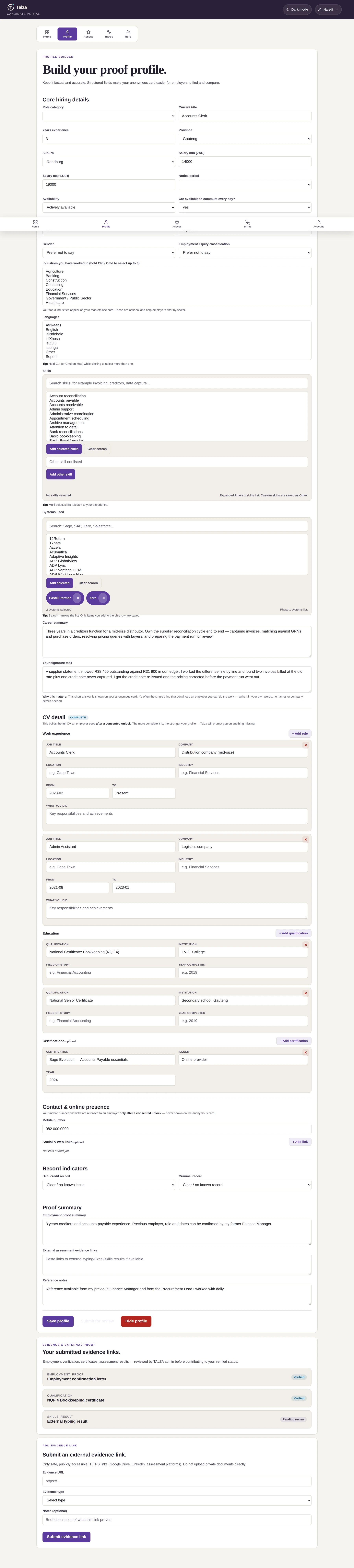
Then the form. It's long because it replaces every application form you'd otherwise fill in over and over — and you only do it once.
Screen · the profile form · scroll inside
talza.co.za/candidate/#profile
Scroll inside the window to see the whole form.The fields that matter most: role, province & suburb, salary range, notice period, skills and systems you've used (Sage, Pastel, Xero, SAP…). Employers filter on exactly these.
Tally on the signature task
There's one box I'd really think about: your signature task. Two or three sentences on the trickiest reconciliation or admin job you've handled — what made it hard, and how you got it right.
Write it plainly. “A supplier statement showed R38 400 against R31 900 in our ledger. I worked it line by line and found two invoices at the old rate plus a credit note never captured.” That tells a finance manager more than any adjective ever could.
At 75% completion your profile goes to review automatically. The bar on your dashboard tracks it live — suburb, salary and career summary all count towards it, and both required assessments are needed to get there.
2
Build the proof
The part that gets you hiredDo it in chunks
A finished profile is still just claims. Three things turn it into evidence: documents, assessments and references.
2aEvidence
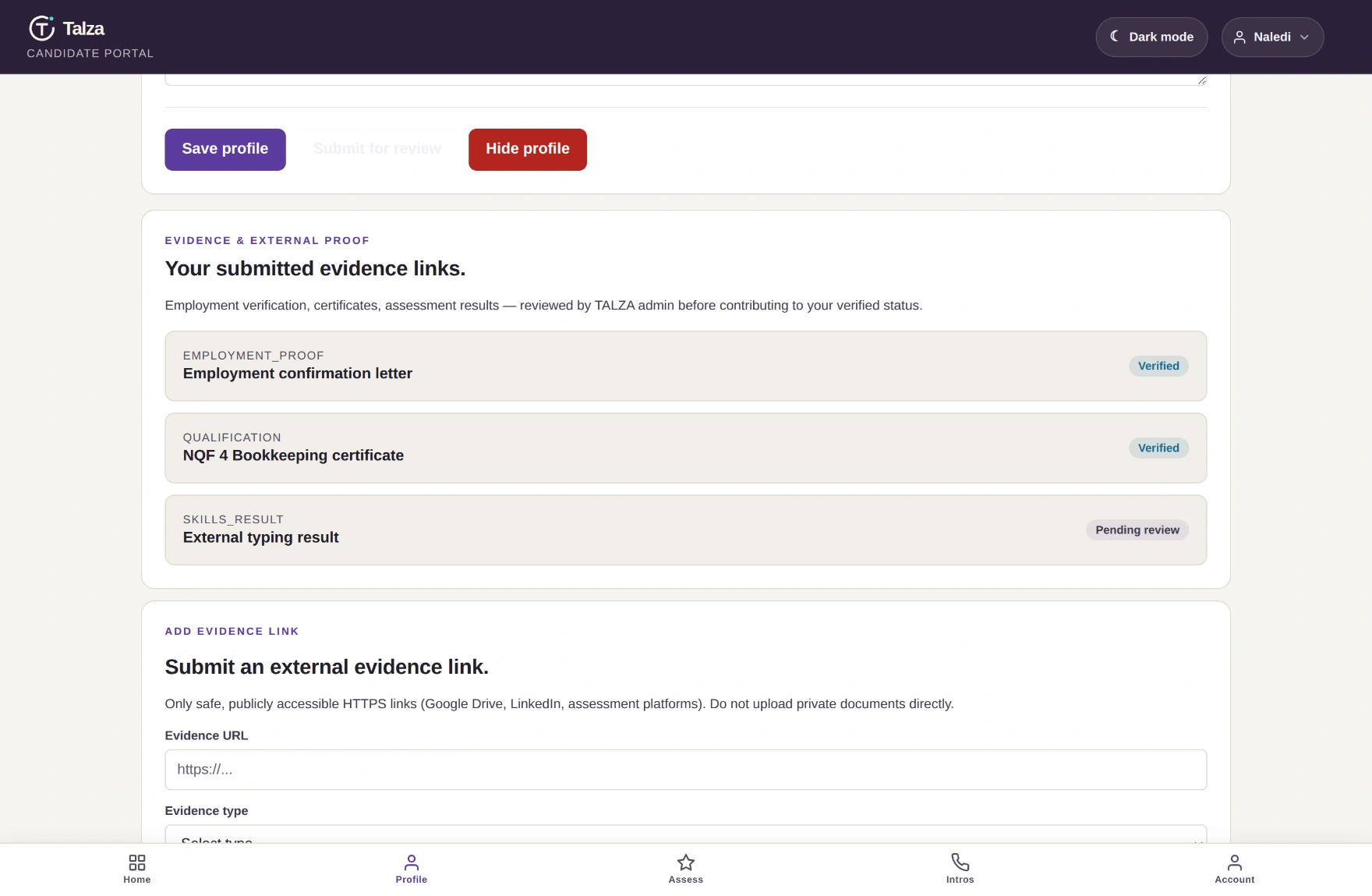
Upload or link the things that back up your history — an employment letter, a qualification certificate, an external skills result. A Talza admin reviews each one.
Screen · Profile → Evidence
talza.co.za/candidate/#evidence
Each item moves from pending review to verified. Verified evidence is one of the gates on marketplace visibility.
2bAssessments — where your badges come from
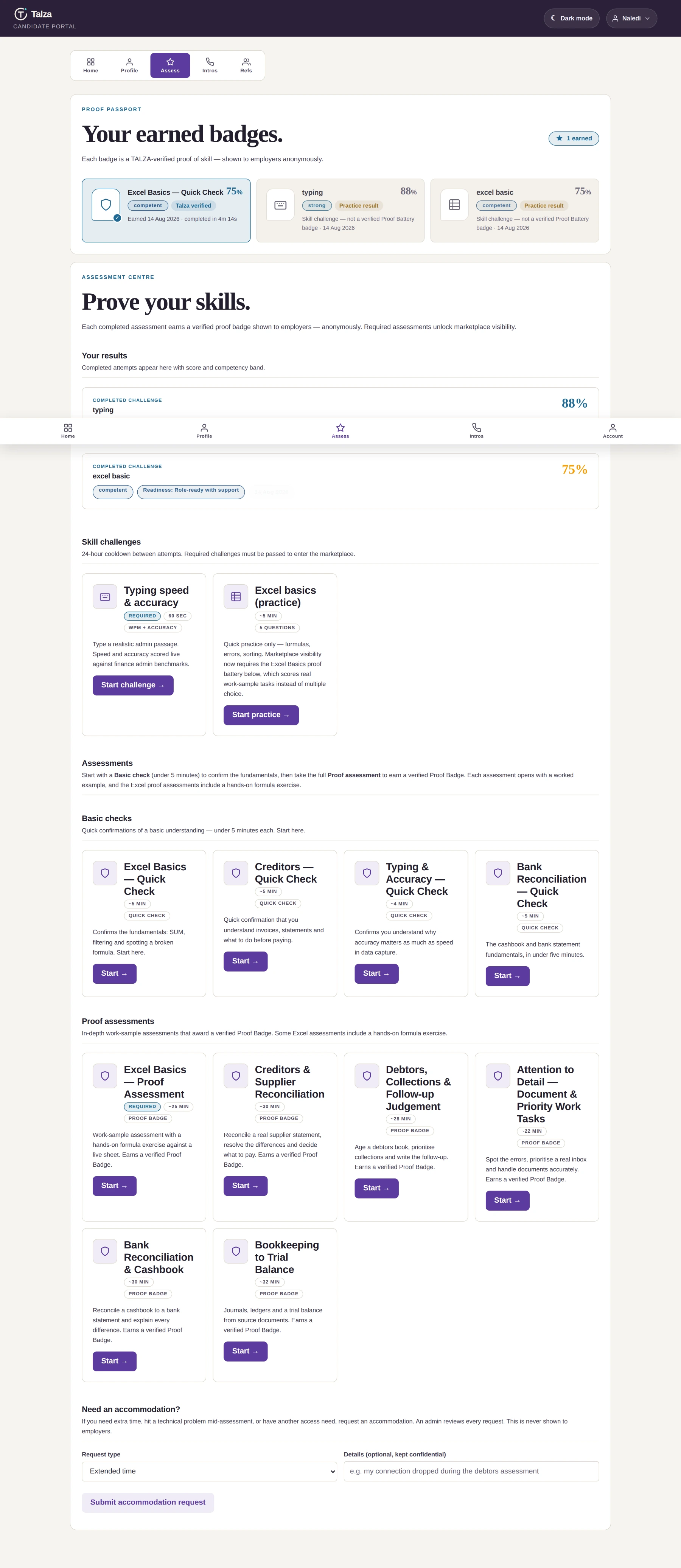
Two tiers. Basic checks take under five minutes and confirm the fundamentals. Proof assessments are longer work-sample tasks that earn a verified Proof Badge.
Screen · Assessment Centre · scroll inside
talza.co.za/candidate/#assessments
Scroll inside the window.Your passport, your past results, and everything still open to take.
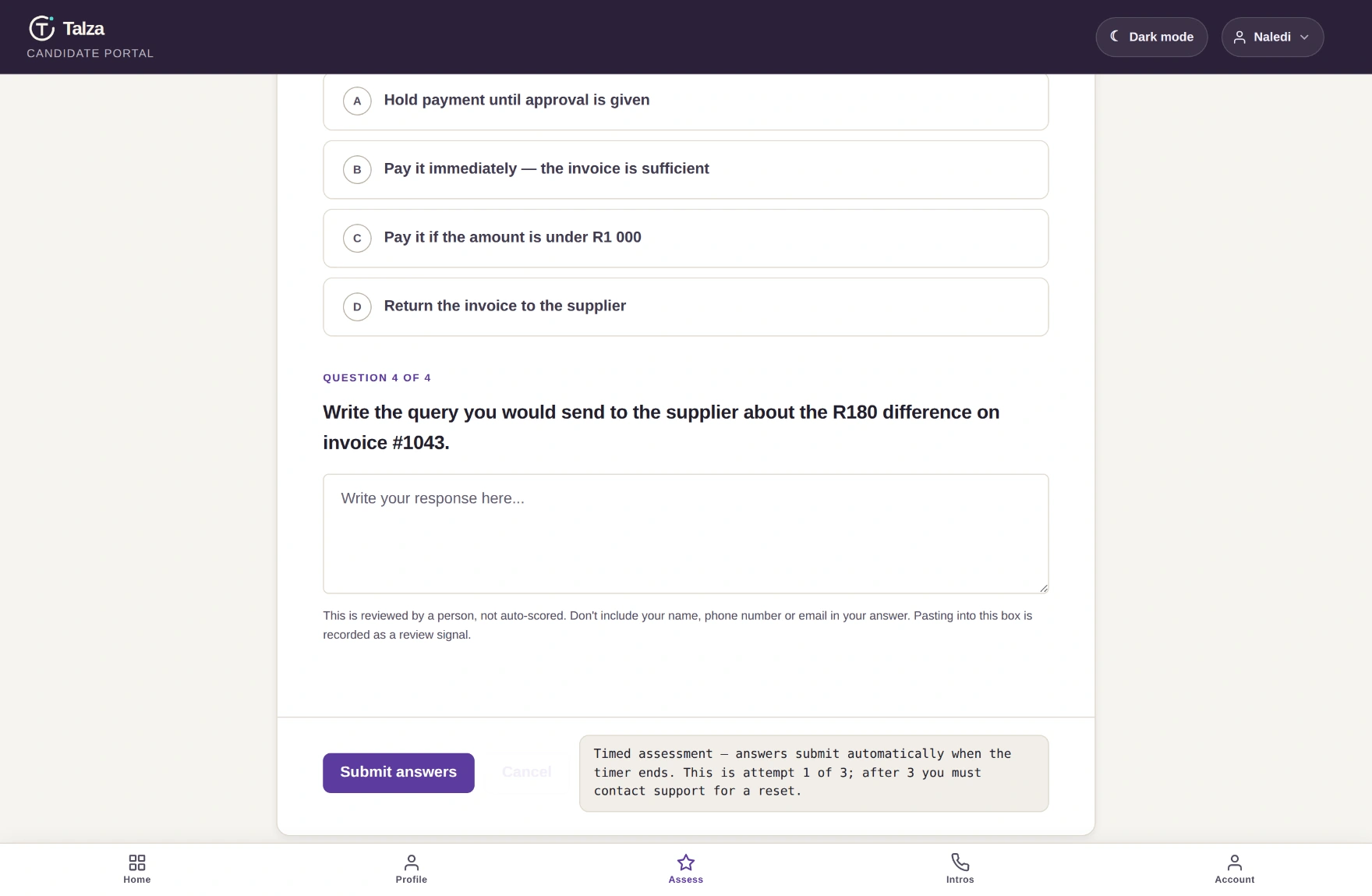
Inside an assessment you get a worked example first, then real tasks — multiple choice, live spreadsheet formulas, and written answers a person reviews.
Screen · taking an assessment
talza.co.za/candidate/#assessments
A real question from the creditors assessment. This is the job, not a riddle. Answers auto-save — if your data drops, come back within 24 hours and carry on.Screen · typing challenge
talza.co.za/candidate/#assessments
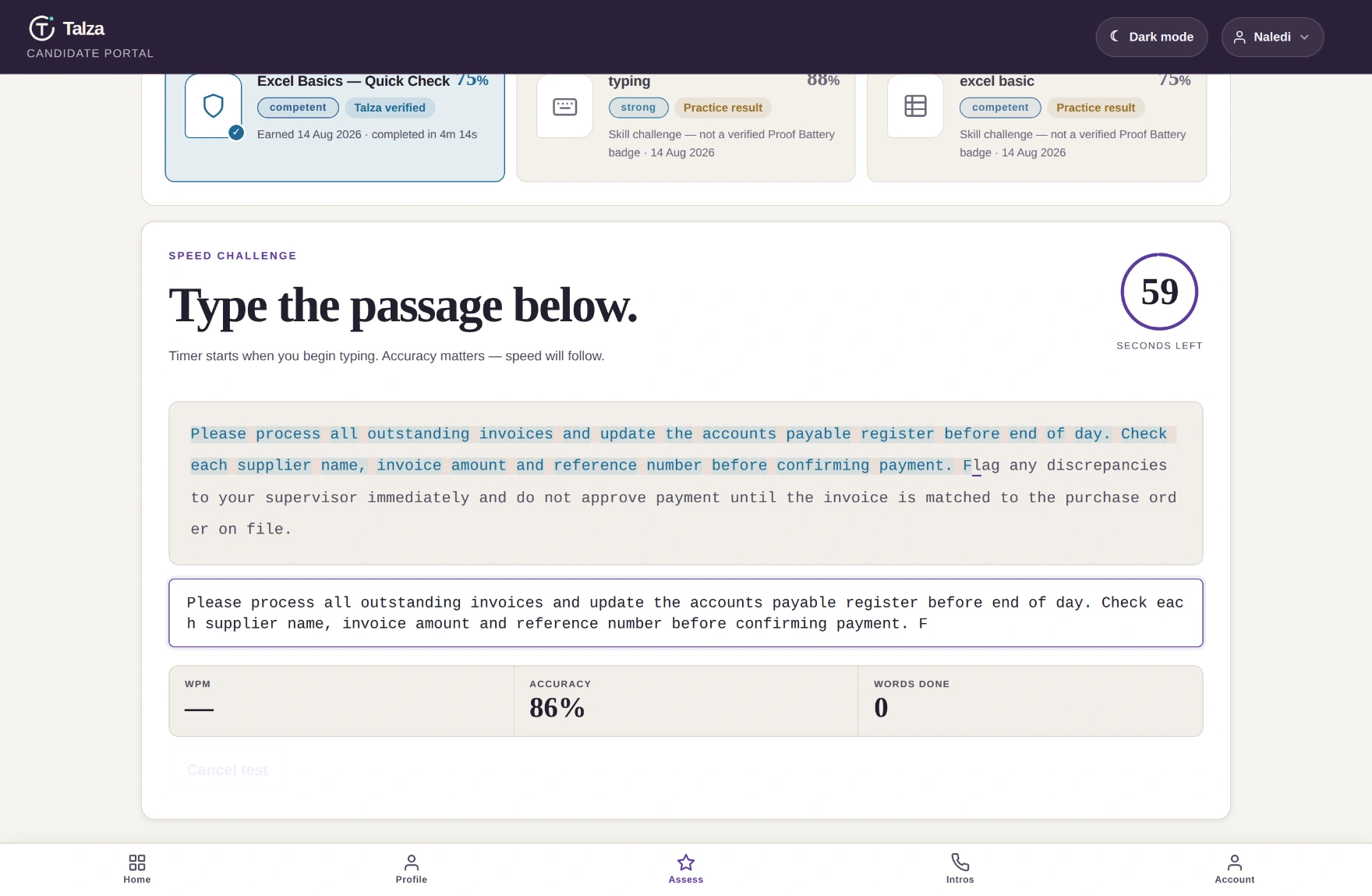
Sixty seconds, live WPM and accuracy. Accuracy is weighted heavily — in data capture, fast-and-wrong is worse than steady-and-right.
Nervous about scores? There's a 24-hour cooldown between attempts, and you can request an accommodation — extra time, or a retake if something broke mid-assessment. An admin reviews it, and employers never see that you asked.
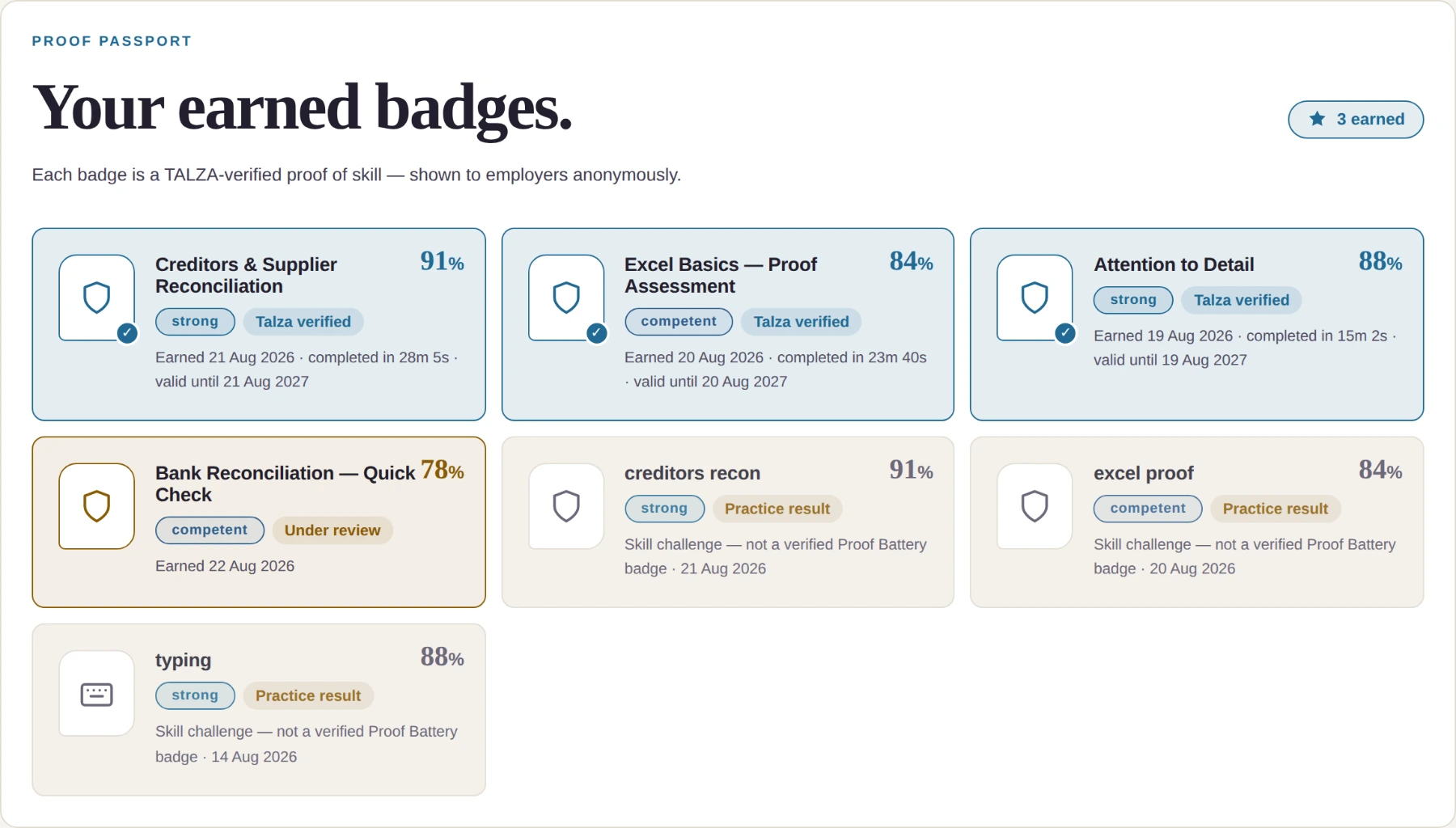
Every completed assessment becomes a badge in your Proof Passport, with the competency band and the percentage behind it.
Screen · Proof Passport
talza.co.za/candidate/#assessments
Bands run strong → competent → developing → basic support only. A badge marked Talza verified has been checked by a person, not just auto-scored.
2cReferences that actually count
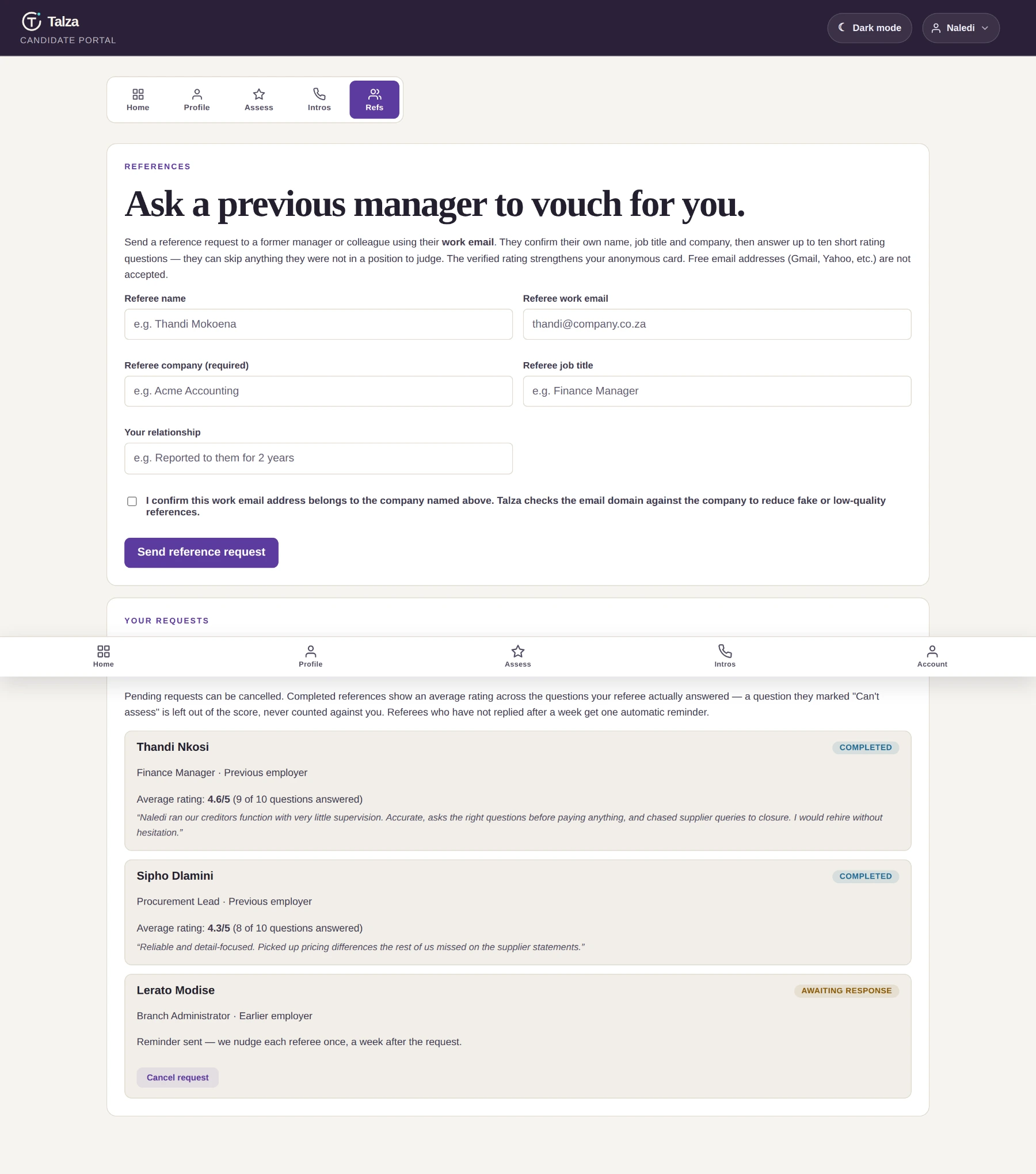
Invite a previous manager using their work email. They answer the same structured questions every referee answers, so employers can compare fairly.
Screen · Refs · scroll inside
talza.co.za/candidate/#references
Scroll inside the window.A completed reference averages only the questions your referee actually answered — a “can't assess” is left out, never counted against you. Quiet referees get one automatic nudge after a week.
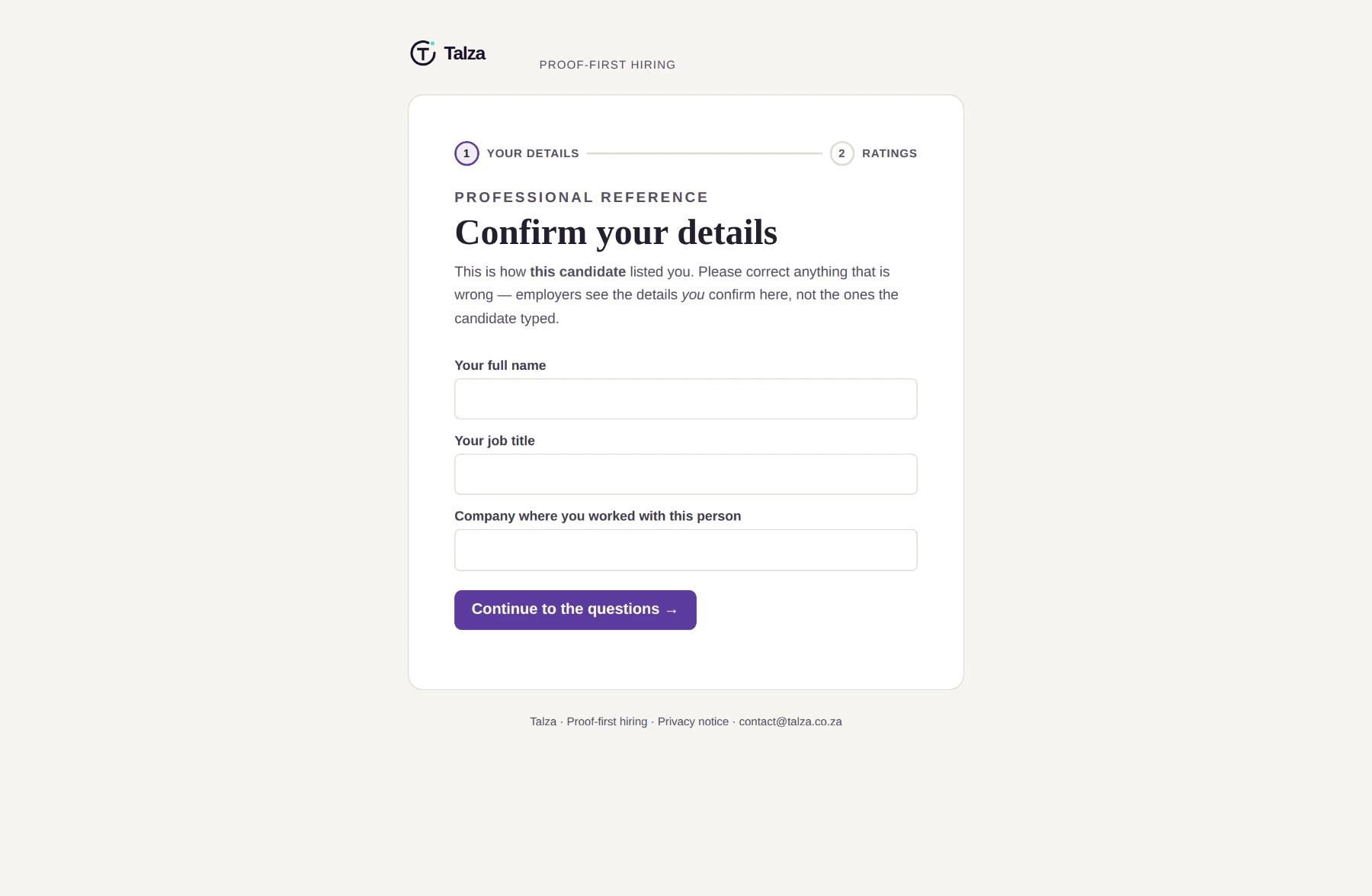
This is what your referee receives — a clean page, no Talza account needed:
Screen · your referee's view
talza.co.za/reference/
Note step one: your referee confirms their own details. Employers see what the referee confirmed, not what you typed — which is exactly why the vouch carries weight.
Tally
Message your referee before you send the request. One line — “I'm on a platform called Talza, you'll get a short form, takes five minutes.” A warned referee replies about three times faster than a surprised one.
And try for two from different employers if you can. Two from the same company is still good, but the evidence pack flags it — so a third from somewhere else genuinely strengthens you.
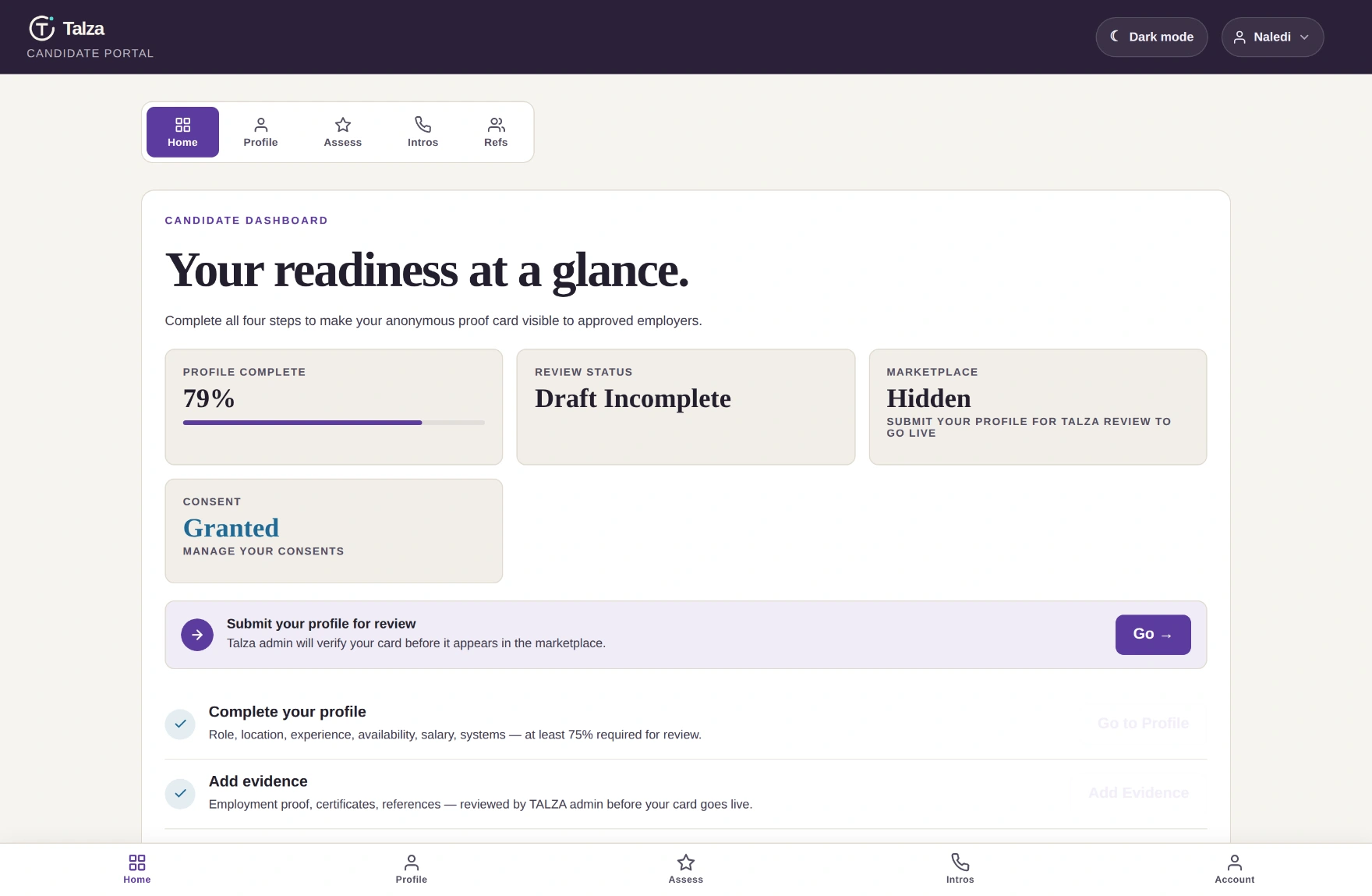
Screen · dashboard, mid-build
talza.co.za/candidate/
Progress looks like this — 79% complete, steps ticking green, still hidden. That's fine; you're not finished yet.
3
Talza review
pending_reviewUsually within 2 business daysNeeds 75%+
The moment you reach 75%, your profile goes to Talza review automatically — there's no button to press. A real person at Talza then checks your profile, evidence and assessments, and once they approve it your anonymous card goes live. We email you a status update at each step.
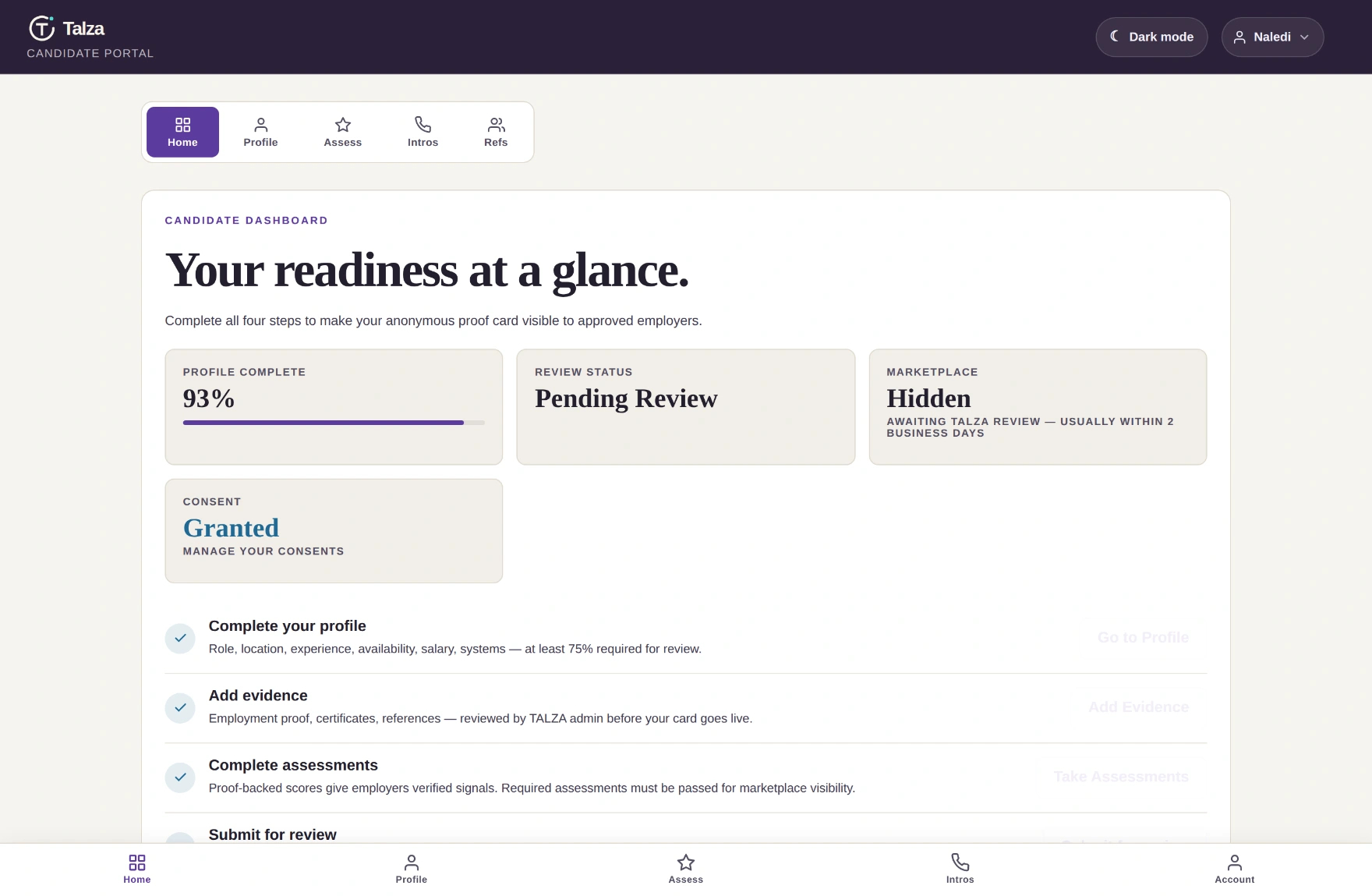
Screen · awaiting review
talza.co.za/candidate/
All four steps green, status Pending Review. Nothing more to do — and you can keep taking assessments while you wait.
What the reviewer checks. Partly that your evidence stacks up. Partly something that protects you: whether anything could accidentally identify you — an unusually specific title, a rare certification, a small-town suburb. If so, they generalise it before you go live.
4
Approved — you're live
approvedVisible to employersStill anonymous
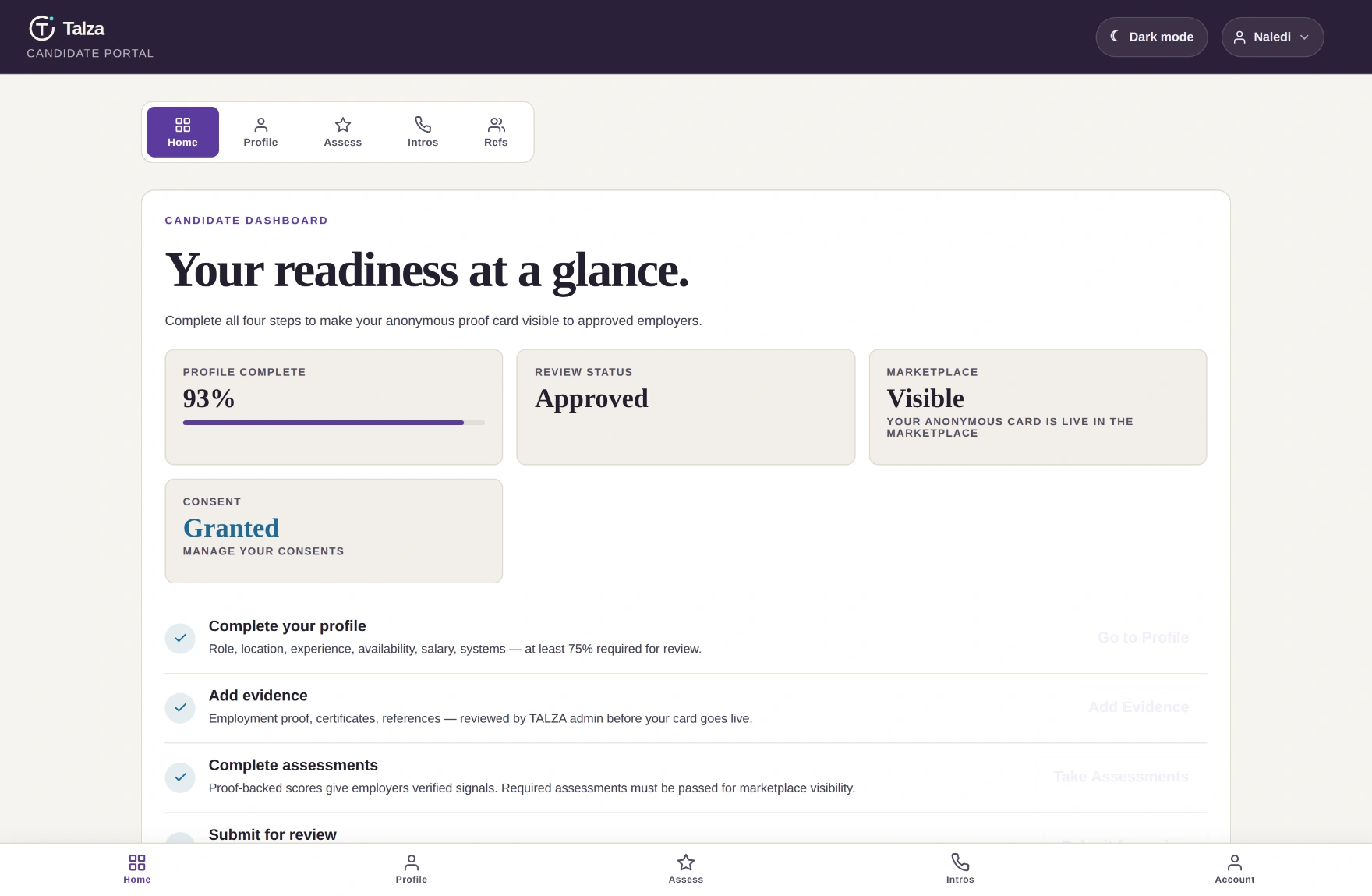
Approved, verified and available — your card is in the marketplace. The tile flips from Hidden to Visible.
Screen · live dashboard
talza.co.za/candidate/
Five things must all be true to be visible: approved, available, identity verified, evidence verified, and a final per-candidate safety check. Miss one and the tile tells you which.
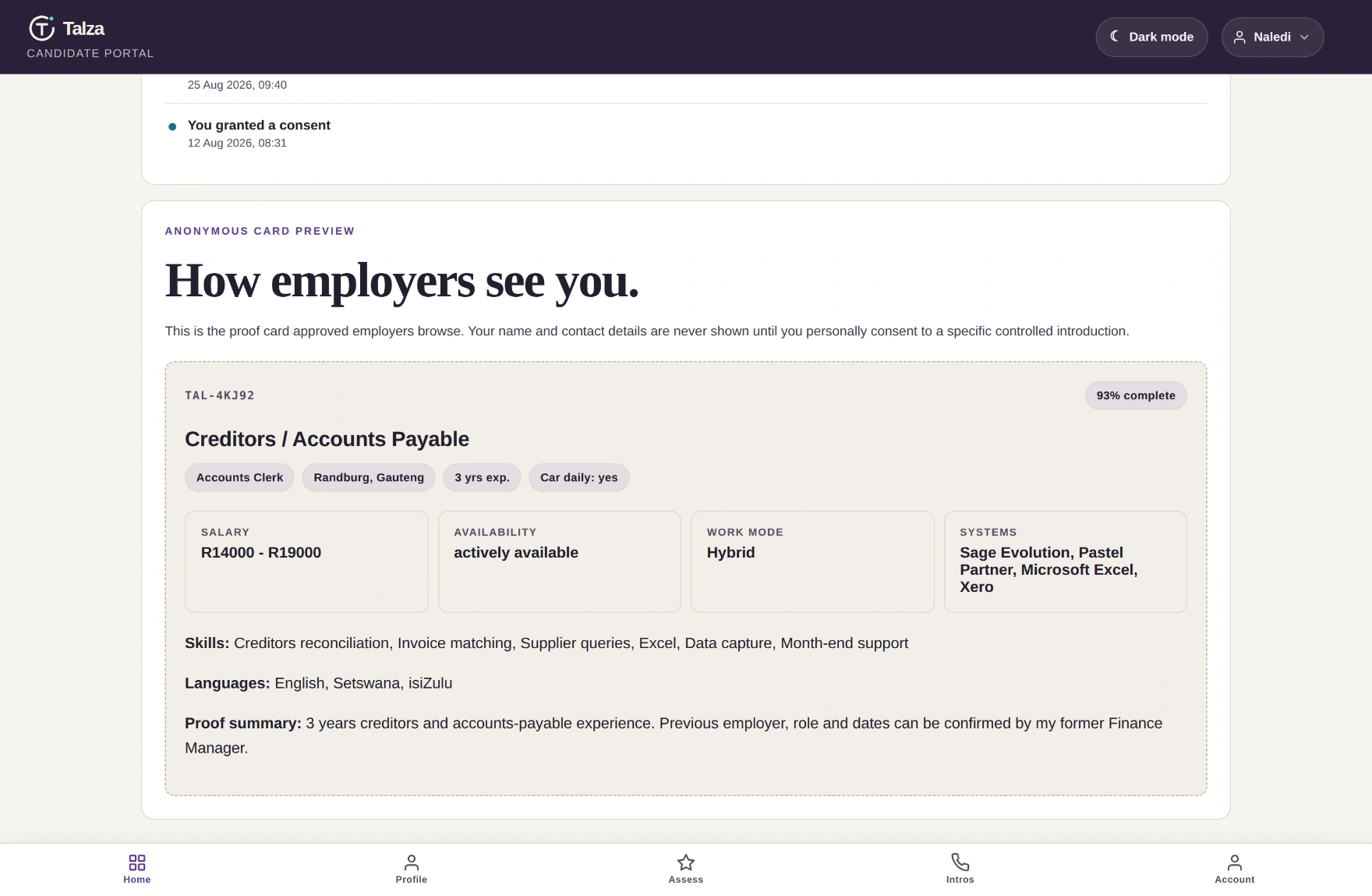
Scroll down and you can see your own card exactly as employers do.
Screen · how employers see you
talza.co.za/candidate/
Check this. If something reads wrong here, it reads wrong to every employer browsing.
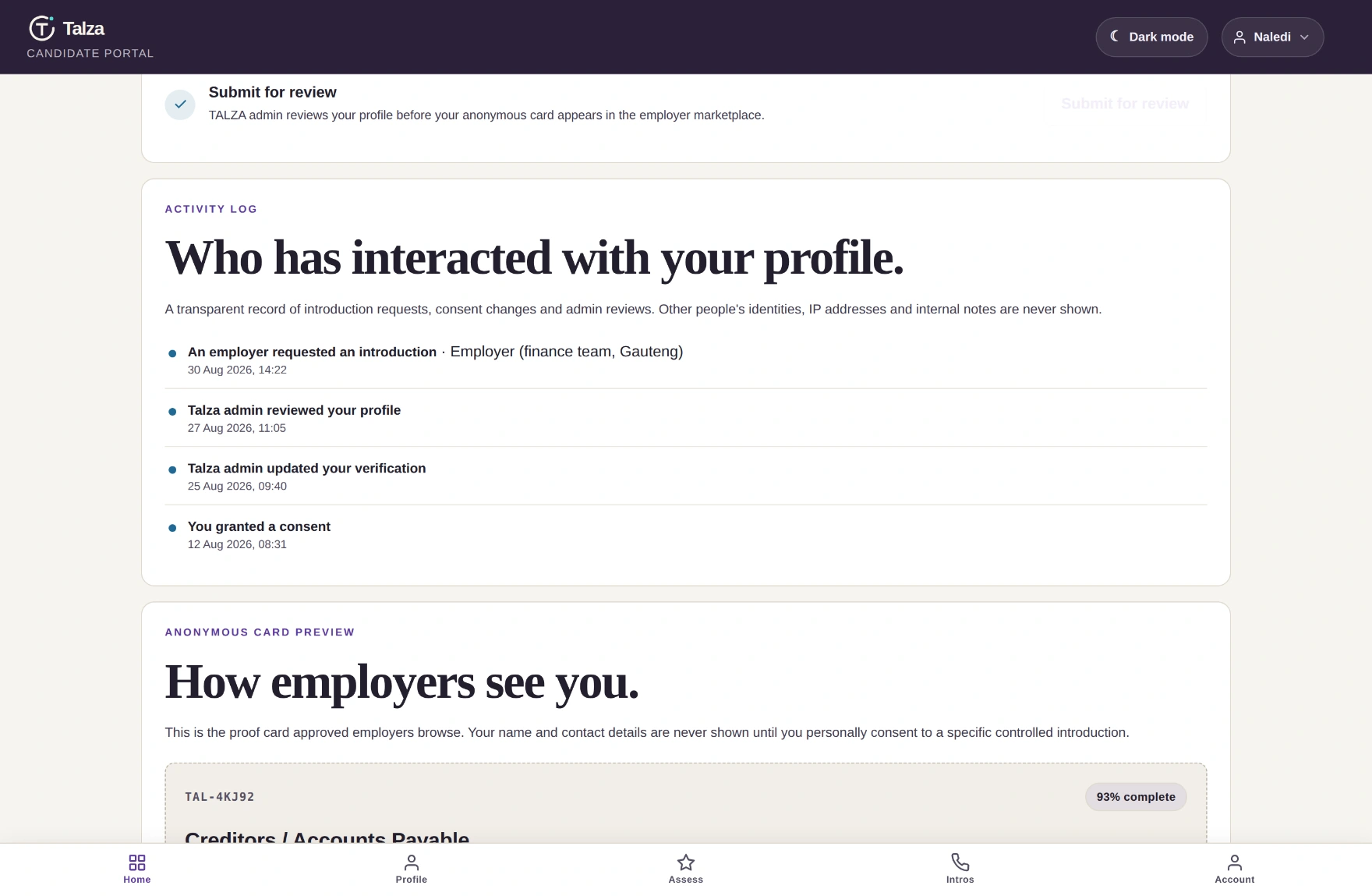
And you can see who's been near your profile — something no job board gives you.
Screen · your activity log
talza.co.za/candidate/
Intro requests, admin reviews, verification changes, consents granted and withdrawn — timestamped. If your identity is ever released, it's logged here.
5
The introduction
Your decisionAccept or decline, no penalty
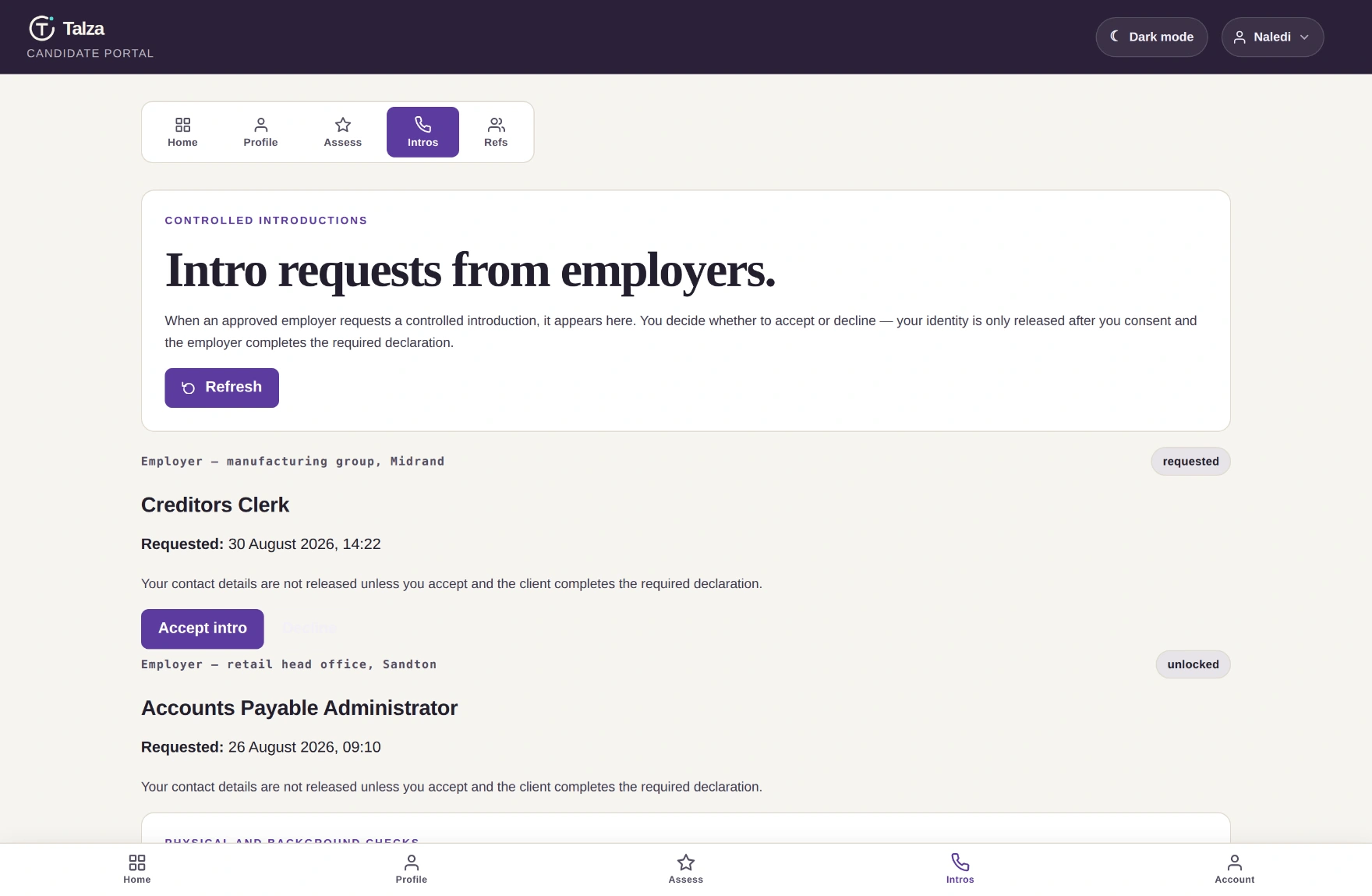
This is the moment the whole platform is built around. An employer has read your evidence, decided they want you — and now has to ask.
Screen · Intros inbox
talza.co.za/candidate/#opportunities
The role, the employer, the date. Your contact details are not released unless you accept — and the employer must complete a declaration before anything is handed over.
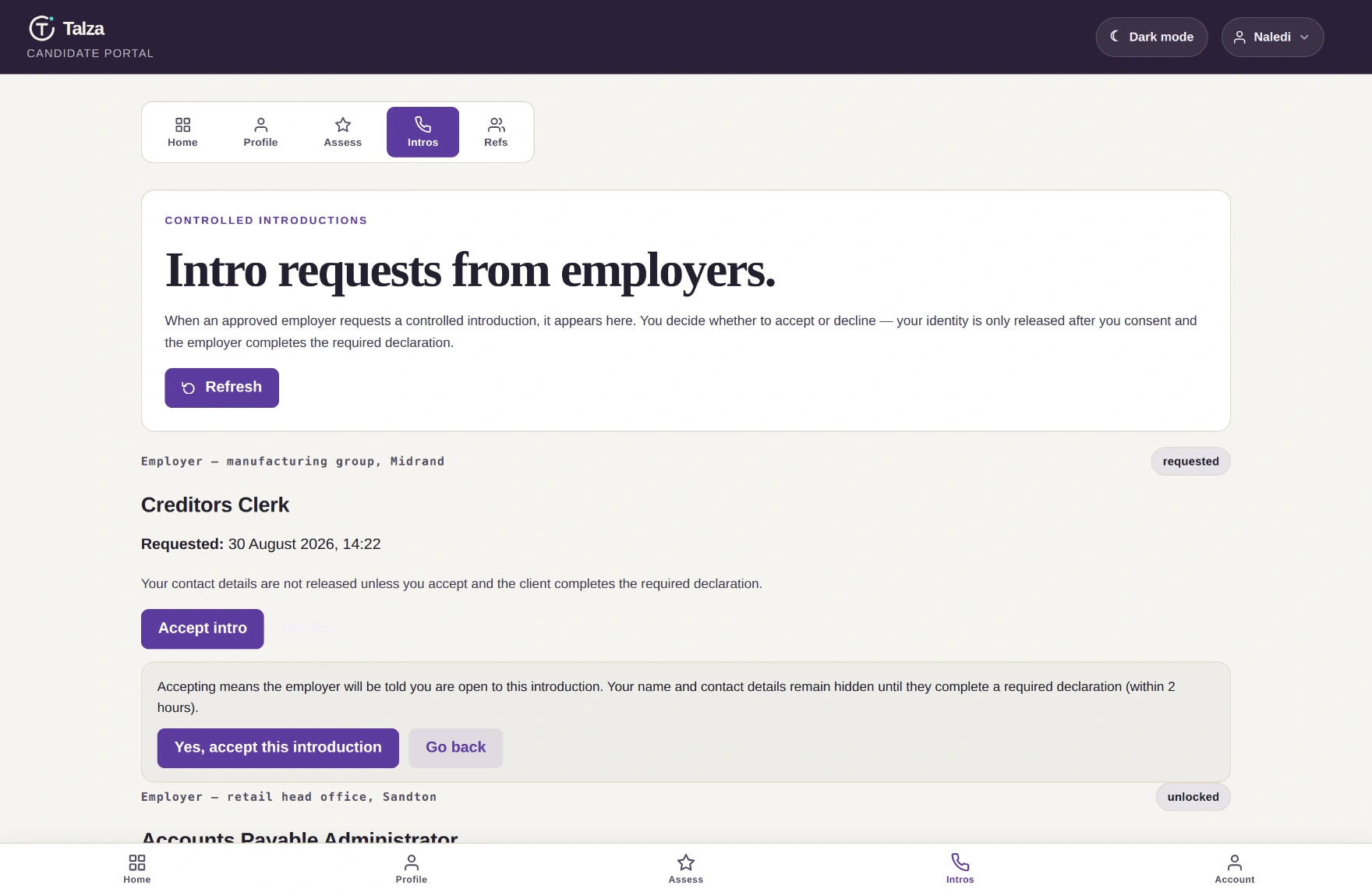
Accepting asks you to confirm, so nobody's identity is released on a mis-tap.
Screen · confirming
talza.co.za/candidate/#opportunities
Decline and it closes quietly. The employer gets nothing, and your other requests are unaffected. Declining does not push you down any list.
Tally
Take a beat before you accept. Look at the role and the region. If the commute doesn't work or it's not what you want next, decline — that's what the button is for, and it costs you nothing.
One more thing worth knowing: an employer can't even send this unless they're an approved company holding a paid Talza Coin for it. They're only charged once the introduction completes — so declining costs them nothing either. But nobody browses their way to your inbox by accident. That's a very different conversation from a recruiter cold-call.
Reference
Your profile stages, decoded.
Your dashboard shows a review status and a marketplace state. Here's every value you might see, what it means, and where to act on it.
Status
What it means
Employers see you?
Your next move
Draft Incomplete draft_incomplete
Still building — under 75%, or complete but not submitted.
Answered “Is your availability still the same?” (or saved your profile) in the last 30 days — Yes or No on your dashboard, or from the buttons in our reminder email. We remind you 7 days and 2 days before; if it lapses your card is hidden until you answer. Logging in alone doesn't count.
Results expire after 180 days. A required assessment older than that stops counting and you drop out of the marketplace until you retake it — so if you've been away a while, check the Assess tab before you wonder where your card went.
Your control
What you can take back, and when.
South Africa's POPIA gives you rights over your personal information. Talza builds them into buttons, not buried policy.
Screen · consent centre
talza.co.za/candidate-consent.html
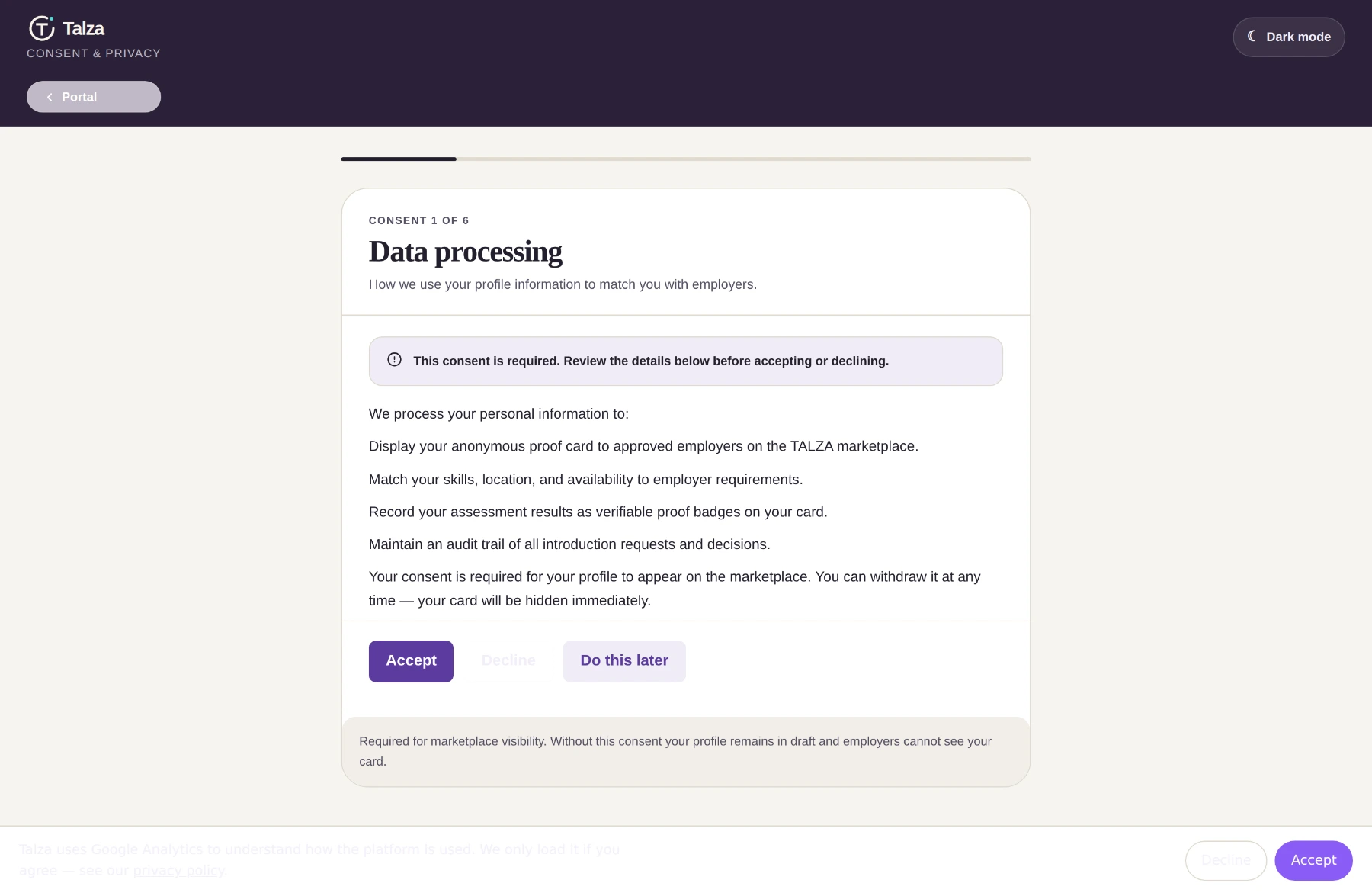
Your consent centre. Every consent, when you gave it, and a withdraw button on each. Some are required to use the marketplace; the demographic one is entirely optional and declining it costs you nothing — you won't appear less often.Screen · Account → your data · scroll inside
talza.co.za/candidate/#account
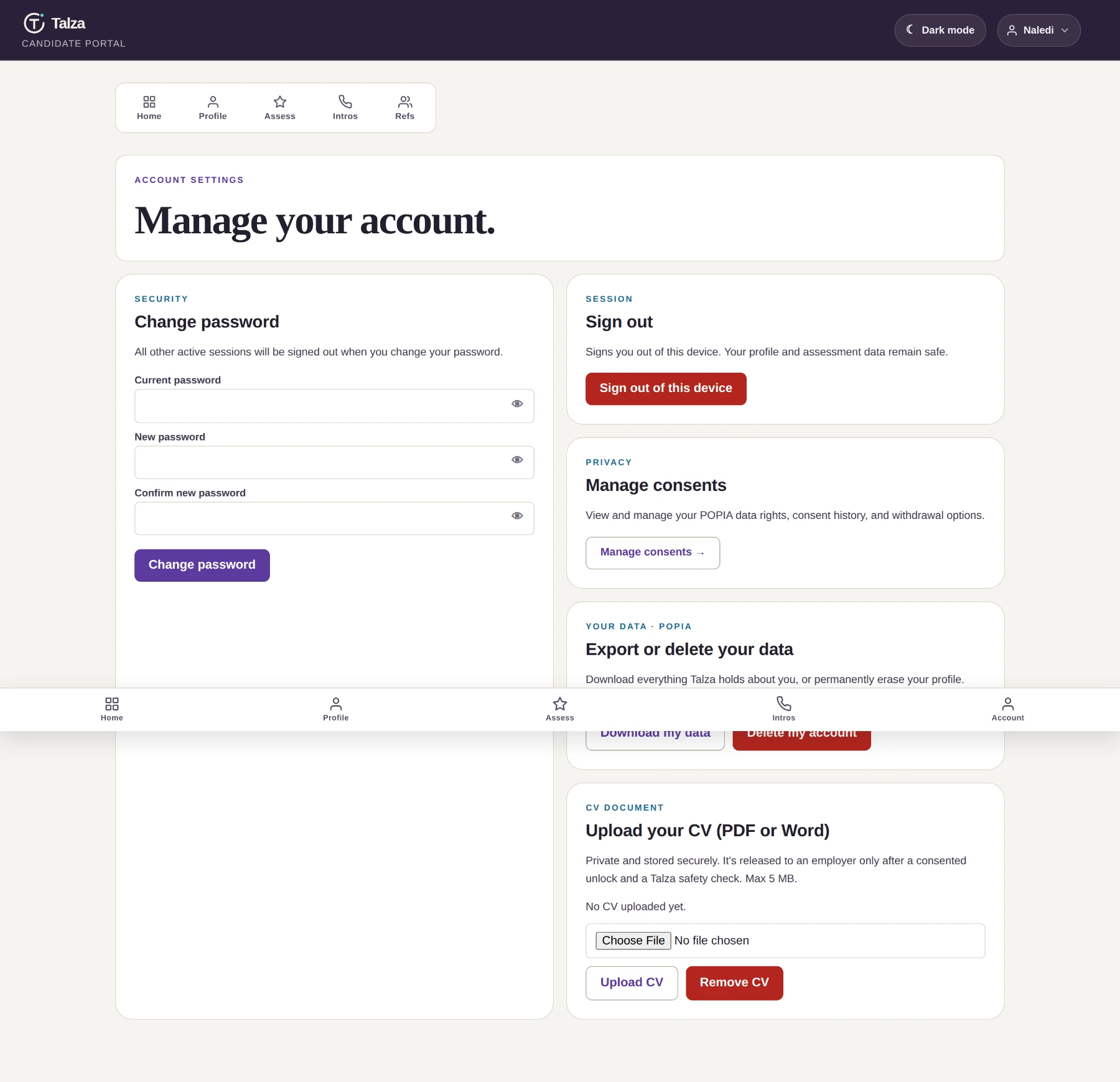
Scroll inside the window.Download my data gives you a file with your account, full profile, consent history, reference requests, every assessment attempt with your own answers, accommodations, verification checks and evidence records. A few things sit outside it — your CV downloads separately, and your intro history and audit trail aren't in the file; ask us and POPIA still entitles you to them. Delete my account erases your profile and removes you from browsing immediately — you type DELETE to confirm.
Pause, don't quit
Got a job, or need a break? Set availability to inactive. You vanish from browsing and your proof waits for you. Profile →
Your CV stays locked
Upload it and it's stored privately — released to an employer only after a consented unlock and a Talza safety check. Account →
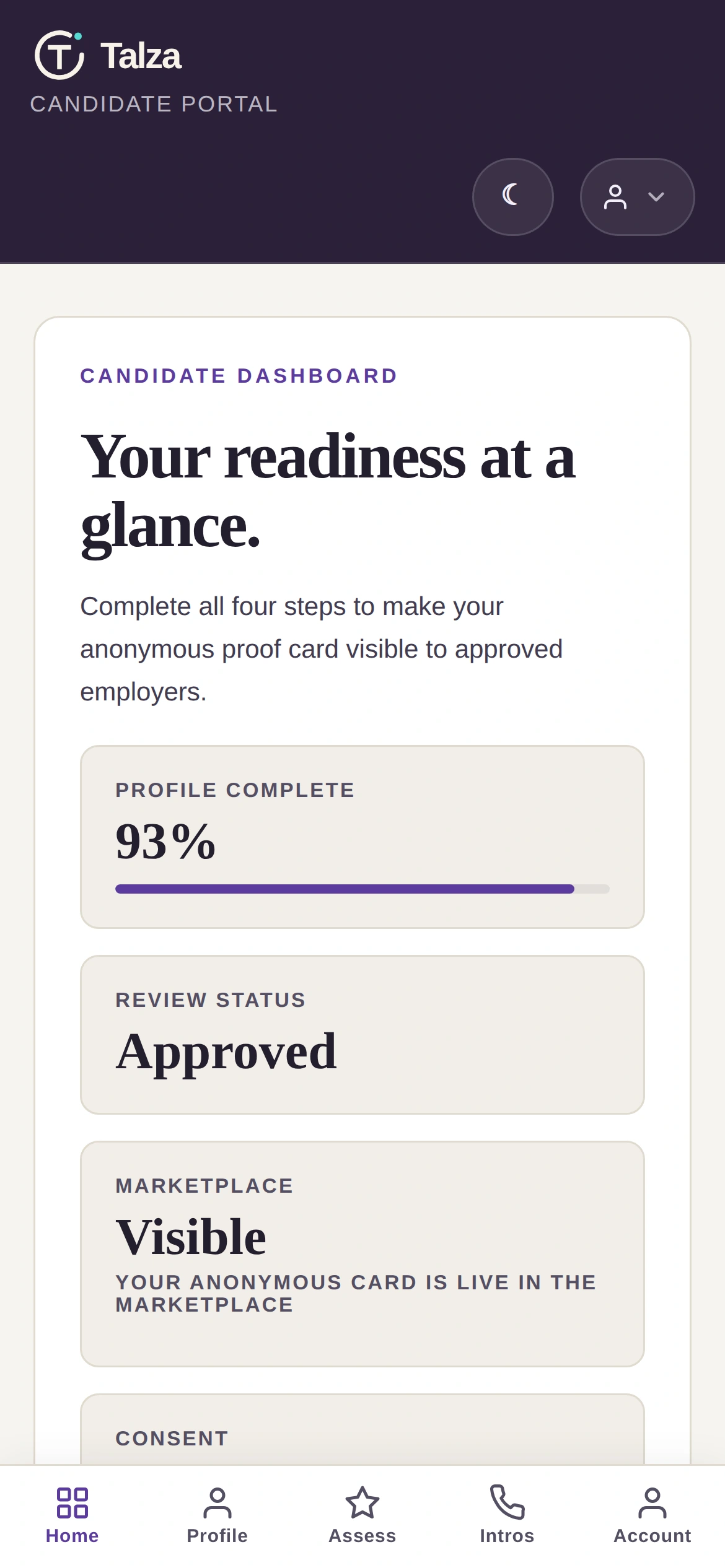
The portal is built mobile-first, with a bottom bar for Home, Profile, Assess, Intros and Account. Build your profile, take assessments, request references and accept an introduction without ever opening a laptop.
Assessments auto-save as you go — if your data drops or your battery dies mid-way, sign back in within 24 hours and pick up where you left off.
No. Talza charges employers to unlock a candidate. There's no candidate fee, no subscription and no commission taken from your salary — the platform has no way to charge you at all.
Will my current employer see that I'm looking?
They can't identify you from your card. No name, photo, contact, employer names or exact suburb — only a region. If someone from your company browses the marketplace, they see an anonymous code like TAL-4KJ92 alongside everyone else. Your identity is released only when you accept a specific introduction.
If your job is unusual enough that a description alone might give you away, the reviewer checks for exactly that before you go live and generalises anything too specific.
What if I do badly on an assessment?
A weaker result gives you a lower competency band, not a rejection. There's a 24-hour cooldown before a retake, and you can request an accommodation if something went wrong. Employers never see that you asked — and they also see which areas you haven't been tested on, so one weak result isn't read as a verdict on everything.
How long until I'm actually visible?
Building the profile takes most people 20–30 minutes. Assessments are ~5 minutes for a basic check, 20–30 for a full proof assessment. References depend on your referee — usually a few days, with one automatic reminder after a week. Review itself is usually within 2 business days of submitting.
Do I need matric or a degree?
No qualification is required to sign up. Talza is built for junior finance and admin talent, and the assessments let capability show regardless of paper. Add qualifications if you have them — they strengthen your profile. If you don't, your assessment results and references stand on their own.
Can I say no to an employer?
Always. Declining closes that request, the employer receives nothing, and it has no effect on your card, your ranking or any other request. No penalty of any kind.
Who is Tally?
I'm your guide for this walkthrough — a friendly face on a real platform, not a support agent. For an actual human, contact us.
What if I forget my password?
Use Reset your password (also linked under the sign-in form): we email a one-hour link to the address you registered with. If you can no longer get email there, contact us and we'll recover the account once we've confirmed it's you. You can also change your password any time from Account, which signs out every other device.
That's the whole thing.
Twenty minutes tonight gets you a profile. One assessment gets you a badge. From there, employers come to you — and you decide who gets your name.